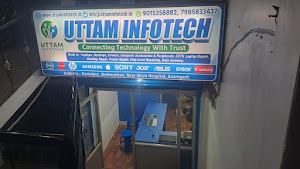
New & Assembled Desktop PCs in Azamgarh
A desktop computer is something you will use every day for years, so it should match the work you actually do. At Uttam Infotech in Azamgarh, Uttar Pradesh, we help customers choose a new or assembled desktop PC that fits their workload and budget, whether it is for study, a billing counter, an office or more demanding software.
An assembled desktop PC is built from individually selected components, so the money goes where your work needs it. A student, an accountant and a video editor need very different machines, and the wrong choice means either paying for power you never use or struggling with a slow computer.
Understanding New and Assembled Desktop PCs
An assembled desktop PC is a computer put together from separately chosen parts: processor, motherboard, memory, storage, cabinet, power supply and, if needed, a graphics card. A preconfigured (branded) desktop is designed and sold as a complete model by one manufacturer, with a fixed set of options.
Both can be brand-new products. The real difference is how the system is configured, supplied, supported and warranted, not whether it is new.
How the main components work together
- Processor (CPU): does the computing work and sets the overall speed for most everyday and business software.
- Motherboard: connects every part and decides which processors, memory, storage drives and ports the system can use, now and for future upgrades.
- RAM (memory): holds the programs and files you are working on. More RAM lets you keep more applications open without slowdowns.
- Storage: an SSD starts Windows and opens software much faster than an HDD. An HDD can add low-cost capacity for large files and backups.
- Graphics: integrated graphics suit office work, study and video playback. A dedicated graphics card is needed for design, video editing, 3D work and gaming.
- Power supply (SMPS): delivers stable power to every component. A reliable unit protects the rest of the system.
- Cabinet and cooling: good airflow keeps components at safe temperatures during long working hours and hot summer months.
A new assembled desktop PC can be configured around your needs, subject to component availability, compatibility between parts, your budget and the work the computer will do.
Desktop Computers for Different Needs
There is no single “best” configuration. The right computer depends on what you will run on it every day.
Desktop computers for students and home use
Online classes, assignments, browsing, video calls and entertainment need a balanced, reliable system rather than high-end parts. An SSD makes the biggest everyday difference, with enough RAM to run a browser and office software together. A webcam, microphone and stable internet matter for online learning.
Desktop computers for everyday productivity
Professionals and remote workers often run email, documents, spreadsheets, video meetings and many browser tabs at once. Prioritise a capable processor, enough RAM for multitasking and an SSD. A good monitor and comfortable keyboard and mouse matter for long working hours.
Assembled computers for office use
An assembled computer for office use should be dependable and easy to maintain. Check that it runs your office software smoothly, has the ports your printers and scanners need, and connects reliably to your network. A consistent configuration across several desks simplifies support and spare parts.
Desktop computers for billing and accounting
Billing and accounting software rarely needs powerful graphics, but it does need reliability. Confirm your software runs on the chosen configuration and check compatibility with thermal printers and barcode scanners. Plan for data backup and a UPS, so a power cut does not interrupt billing or risk data.
Desktop computers for business applications
Inventory systems, ERP tools and other business software can need more memory and storage than basic office work, especially with large databases. Check the software vendor’s recommended system requirements before finalising a configuration.
Desktop PCs for programming and multitasking
Programmers often run code editors, browsers, local servers, databases and sometimes virtual machines together. More processor cores, generous RAM and fast SSD storage help most. Graphics needs depend on the type of development.
Higher-performance desktop PCs for specialised workloads
Video editing, graphic design, 3D modelling, CAD and similar work may need a stronger processor, more RAM, a dedicated graphics card and larger storage. These applications often have specific hardware recommendations, so share the exact software and version you use. Higher-performance parts also need a suitable power supply and better cooling.
How to Choose the Right Desktop Computer Configuration
A good desktop computer configuration is balanced: every part suits the work, and no single component holds the others back. Consider these points before you decide.
- Budget: fix a realistic range, then spend first on what affects your daily work most.
- Intended workload: list the software you use now and expect to use in the next few years.
- Processor performance: choose for your heaviest regular task, not occasional use.
- Motherboard compatibility: it must support the processor and memory, with the ports and slots you need.
- RAM capacity and upgradeability: check what is installed and whether free slots allow upgrades.
- SSD and additional storage: an SSD for Windows and software, plus extra space for large files.
- Integrated vs dedicated graphics: integrated suits office and study; dedicated is for visual work.
- Power supply quality: a reliable unit with suitable capacity for every component.
- Cooling and cabinet airflow: especially important for powerful parts and long daily use.
- Monitor and peripherals: screen size, keyboard, mouse, webcam, speakers and printer compatibility.
- Connectivity: enough USB ports, wired LAN, and Wi-Fi or Bluetooth if needed.
- Future upgrade options: room to add memory, storage or a graphics card later.
- Warranty and support: know who covers each component and where to go for help.
Example configuration approaches
Basic
Students, home users, light browsing
SSD, adequate RAM, integrated graphics and a reliable power supply.
Office-oriented
Office staff, billing counters, accounting
Stable performance, SSD, network ports, peripheral compatibility and a UPS.
Multitasking
Professionals, programmers, heavy users
Stronger multi-core processor, more RAM and a faster, larger SSD.
Performance-oriented
Design, video editing, CAD
High-performance processor, large RAM, dedicated graphics, strong cooling and power supply.
Exact component models and capacities depend on your software, budget and current availability, so confirm the configuration with us before purchase.
Custom Built Desktop PC: Benefits and Considerations
A custom built desktop PC is configured component by component for a particular user or workload. This gives flexibility, but the benefits depend on choosing parts carefully.
Benefits
- Flexible component selection: parts that suit your work instead of a fixed model.
- Budget allocation: spend more where it matters, such as RAM for multitasking or graphics for design.
- Performance matched to the task: avoid paying for capacity you will not use.
- Upgradeability: a well-planned build leaves room for more memory, storage or graphics later.
- Storage flexibility: combine a fast SSD with additional storage as needed.
- Graphics choice: add a dedicated graphics card only when your work needs it.
Considerations
- Compatibility: processor, motherboard, memory, power supply and cabinet must all work together.
- Cooling and power: stronger components need adequate cooling and a suitable power supply.
- Component warranties: each part may carry its own manufacturer warranty with different periods and claim processes, so keep the invoice and warranty details for every part.
- Assembly and testing: careful assembly and testing before handover help catch problems early. Ask us what checks are done on your system.
A custom build is not automatically cheaper, faster or more reliable than every branded desktop. Its value comes from informed component choices for your actual needs.
Assembled PC vs Branded Desktop: Which Is Right for You?
Both options can be good choices. The table compares them on the points buyers ask about most.
| Comparison factor | Assembled desktop PC | Branded desktop PC |
|---|---|---|
| Configuration flexibility | Built around your needs; each part can be chosen, subject to compatibility and availability. | Chosen from the manufacturer’s available models and configuration options. |
| Component selection | You decide the processor, RAM, storage, graphics, power supply and cabinet. | Components are pre-selected by the manufacturer for that model. |
| Pricing | Total cost depends on each component chosen, current market prices and what the quotation includes. | Price depends on the model, its specifications, bundled software and manufacturer support. |
| Upgradeability | Usually easier with standard parts, depending on the motherboard, cabinet and power supply chosen. | Depends on the model; some use compact cases, custom boards or limited power supplies. |
| Warranty | Typically separate manufacturer warranties per component, plus any seller support agreed at purchase. | Typically a single manufacturer warranty for the whole system. |
| Technical support | Through the seller and individual component manufacturers, as agreed. | Through the manufacturer’s service network, plus the seller where applicable. |
| Maintenance | Standard parts are often easier to source and replace locally. | Depends on the brand’s service centres and availability of model-specific parts. |
| Best suited for | Buyers who want a configuration matched to their workload and budget, with room to upgrade. | Buyers who prefer a standardised system with single-point manufacturer support. |
The better choice depends on your budget, how you will use the computer, your warranty expectations, your upgrade plans and the technical support you can easily access. If you are unsure, discuss both options with us before deciding.
Assembled Desktop PC Price in Azamgarh: What Affects the Cost
There is no single assembled desktop PC price in Azamgarh, because every configuration is different. The final assembled desktop computer price depends on the parts selected and on what the quotation includes.
Processor
Usually one of the largest parts of the cost; generation and performance tier make a big difference.
Graphics
A dedicated graphics card can significantly raise the total cost.
Motherboard features
Chipset, memory slots, ports, built-in Wi-Fi and upgrade options.
RAM capacity
More memory costs more but helps multitasking.
SSD and HDD capacity
Larger and faster storage increases the price.
Cabinet, power supply and cooling
Better build quality, airflow, coolers and reliable power supplies cost more but protect the system.
Monitor and peripherals
Keyboard, mouse, webcam, speakers and monitor may be quoted separately or as a package.
Genuine software licensing
An operating system licence and other software, where relevant.
Market prices and warranty
Component prices change regularly, and warranty and support terms also affect the total.
Why no fixed prices here? Computer part prices change often, so we do not publish starting prices on this page. Share your requirements and budget with Uttam Infotech for an up-to-date quotation that lists each component and what is included.
Best Assembled Desktop PC for Business: How to Choose
The best assembled desktop PC for business is the one that runs your software reliably and fits your operating needs. A small billing counter, an administrative office and a graphics-oriented business will all need different systems.
- Office productivityDocuments, spreadsheets, email and meetings need a stable, responsive system with an SSD.
- Accounting and billingReliability, software compatibility and peripheral support matter more than raw power.
- Inventory managementLarger databases may need more RAM and storage.
- Business applicationsCheck each vendor’s system requirements.
- MultitaskingStaff running several applications need more memory and processing power.
- Network connectivityReliable wired LAN for shared printers and internet; Wi-Fi where cabling is impractical.
- Data storage and backupPlan backups so business records are not kept on a single drive.
- Power reliabilityA UPS helps protect work and hardware during power cuts and fluctuations.
- Maintenance and upgradesStandard, easily available parts reduce downtime.
- Long-term usabilityChoose a system that will still handle your software in the coming years.
Billing counter
A reliable entry-level system with good printer and scanner support.
Administrative office
Consistent, multitasking-ready desktops with network and backup planning.
Graphics-oriented business
Dedicated graphics, much more memory and stronger cooling.
Before requesting a quotation, note your software, the number of users, the daily workload and your budget.
Why Buy from a Local Computer Seller in Azamgarh
Buying from a local seller lets you discuss your needs in person and know exactly where to go after purchase. With Uttam Infotech in Kartalpur, Azamgarh, you can:
Discuss before you buy
Talk through your requirements and compare suitable configurations side by side.
Understand the specs
Learn what each component means for your work and get help with selection and compatibility.
Clear warranty and support
Clarify warranty terms for every component before you pay, and know where to seek support afterwards, 11:00 AM to 6:00 PM.
What to Check Before Buying an Assembled Desktop PC
Confirm these points before you pay, so the computer you receive is the one you expected.
- The configuration suits your intended workload and software
- The processor and motherboard are compatible
- Installed RAM and storage are as quoted, with type and capacity stated
- Graphics (integrated or dedicated) meets your needs
- The power supply is suitable for all components
- The cabinet has adequate airflow and cooling
- You know whether the monitor and peripherals are included
- The operating system and software licences are clearly stated
- Warranty details for each component are written down
- Future upgrade options are clear
- The total quoted price lists every included item
- Testing before handover and after-sales support are confirmed
Clear written details protect you and make any future warranty claim or upgrade much simpler.
Frequently Asked Questions
What is an assembled desktop PC?
An assembled desktop PC is a computer built from individually selected components rather than bought as one manufacturer’s fixed model. It can be completely new; the difference is that the processor, memory, storage and other parts are chosen to suit the buyer’s work and budget.
What is the assembled desktop PC price in Azamgarh?
The price depends entirely on the configuration. A basic system for study or billing costs far less than one with a powerful processor and dedicated graphics. Component prices also change often, so contact Uttam Infotech with your requirements for a current, itemised quotation.
Is an assembled PC better than a branded desktop?
Neither is better for everyone. An assembled PC offers more control over components and upgrades, while a branded desktop offers a standardised system with a single manufacturer warranty. Choose based on your workload, budget, upgrade plans and the support you prefer.
Which desktop computer configuration is suitable for office use?
Most office work needs a reliable processor, enough RAM for multitasking, an SSD and integrated graphics. Also check network ports, printer and scanner compatibility, and the requirements of any specific office software you use.
Can I get a custom built desktop PC according to my budget?
Yes, a custom build is planned around a budget by prioritising the components that matter most for your work. Share your budget and the software you use, and the configuration can be balanced to fit, subject to current component availability.
Which assembled desktop PC is best for business use?
The best choice depends on your business software, number of users and daily workload. A billing counter, an admin office and a design business need different systems. List your applications and requirements first, then compare suitable configurations.
Can an assembled desktop computer be upgraded later?
Usually yes, if upgrades are planned at the start. Free RAM slots, extra storage connections, a suitable power supply and enough cabinet space make it easier to add memory, storage or a graphics card later.
What should I check before buying a new desktop computer?
Check that the configuration suits your work and that every component, software licence and included accessory is listed in writing. Confirm the warranty for each part and the after-sales support arrangement before you pay.
Request Your Desktop PC Configuration from Uttam Infotech
Looking for an assembled desktop PC in Azamgarh? Share your requirements and budget with Uttam Infotech to explore a suitable desktop computer configuration and request a quotation.
To get a useful recommendation quickly, tell us:
- What you will use the computer for, and the main software you run
- Any preferred specifications, such as processor, RAM, storage or graphics
- Whether you need a monitor, keyboard, mouse, UPS or other accessories
- How many computers you need, for offices and businesses
- Your approximate budget
Uttam Infotech
Computer Sales & Services
- Address
- Kartalpur, Brahmshtan, Near Shiva Hospital, Azamgarh, Uttar Pradesh
- Phone
- +91 79858 33437
- Support hours
- 11:00 AM – 6:00 PM