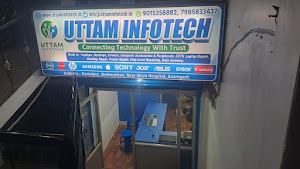
Kartalpur, Azamgarh · Mon–Sat, 10 AM–8 PM
Windows & Software Installation Services in Azamgarh
New laptop, freshly formatted PC, or Windows that won’t start? Uttam Infotech installs and sets up Windows 11, drivers and the software you need, with clear advice on genuine licences and your data.
- Laptops & desktops
- Genuine software only
- Local shop in Azamgarh
About Uttam Infotech
Your local Windows and software installation shop in Azamgarh
Uttam Infotech is a computer sales and service business in Azamgarh. A big part of our everyday work is getting computers ready to use: installing Windows, setting up drivers, and installing the software people actually need for study, work and business.
We work on laptops and desktops for home users, students, working professionals, shops, offices and schools. Some customers come in with a brand-new machine or a new SSD that needs Windows. Others have a computer that has become slow, shows errors after an update, refuses to start, or won’t install a program they need.
Before we start, we check what your computer needs: whether it meets the requirements for the Windows version you want, whether your important files need to be backed up, and whether your software licences are in order. Then we explain the work and the estimate so you can decide. You can also read more about our computer services in Azamgarh.
Common problems
Windows and software problems we help with
These are the issues customers bring to us most often. Every computer is different, so we check the cause before suggesting a fix.
Windows installation problems
Setup stops with an error, can’t find the drive, or gets stuck at a percentage. Common causes include BIOS/UEFI settings, partition style or a faulty installation drive.
How we help: check firmware settings and the disk layout, then install Windows correctly.
Windows reinstallation needed
The system is badly slowed down, full of unwanted programs or affected by malware, and a fresh start is the cleanest option.
How we help: discuss backup first, then do a clean reinstall with drivers and your software.
Boot and startup errors
Stuck on the logo, endless “Automatic Repair”, blue screens or “no boot device” messages. Some are software problems; others point to a failing drive.
How we help: diagnose the cause and explain whether repair, reinstall or a hardware check is needed.
Software installation failures
An installer closes, shows a missing DLL or .NET error, or the app won’t open after installing. Often caused by missing runtimes or a 32/64-bit mismatch.
How we help: install required components and set the app up properly.
Missing or outdated drivers
No sound, poor display resolution, or yellow warning marks in Device Manager after a fresh Windows install.
How we help: install the correct drivers for your laptop or desktop model.
Wi-Fi and Bluetooth not working
Wi-Fi isn’t detected, keeps disconnecting, or Bluetooth is missing after an update or reinstall. This is usually a driver issue.
How we help: identify the wireless chip and install a compatible driver.
Microsoft Office issues
Office won’t install, shows activation or “unlicensed product” messages, or Word and Excel keep crashing.
How we help: install and sign in Office with your genuine licence or Microsoft 365 subscription.
Software compatibility problems
Older programs that won’t run on Windows 11, or apps that need a specific version of Java, Python or another runtime.
How we help: check requirements and try supported compatibility options.
Windows Update errors
Updates fail repeatedly, roll back on restart, or the computer gets stuck on “Working on updates”.
How we help: troubleshoot the update components and storage space, and get updates installing again.
Our services
Windows, software and driver installation services
Practical installation and setup work for laptops and desktops in Azamgarh. If you need something not listed here, ask us and we’ll tell you honestly whether we can help.
Windows installation and reinstallation
- Windows 11 installation on laptops and desktops
- Clean installation on a new SSD or hard disk
- Reinstallation after formatting or system problems
- Disk partition setup and post-install configuration
- Upgrade guidance to a supported Windows version
Software installation and configuration
- Everyday apps: browsers, PDF readers, media players, compression tools
- Work and study software using your licence
- Required runtimes such as .NET, Visual C++ and Java
- Fixing installs that fail or apps that won’t open
- Updating or cleanly removing old software
Driver installation and troubleshooting
- Graphics and display drivers
- Audio, chipset and touchpad drivers
- Wi-Fi, LAN and Bluetooth drivers
- Fixing missing, unknown or conflicting devices
We prefer drivers from your computer or component manufacturer over third-party “driver updater” tools.
Microsoft Office installation
- Microsoft 365 and Office installation with your account or licence
- Word, Excel and PowerPoint setup
- Fixing Office installation and activation errors
- Guidance on free alternatives if you don’t need Office
Windows troubleshooting
- Startup, boot and blue-screen problems
- Windows Update failures
- Failed or interrupted installations
- Slow performance after installation
- Driver-related crashes
Backup before installation
Reinstalling Windows usually means erasing the system drive. If your computer still starts and the drive is healthy, we can help you back up documents, photos and other important files before we begin, and talk you through what can and can’t be kept.
Recovery from failed or damaged drives isn’t always possible; we’ll tell you honestly after checking.
Windows versions & software
Supported Windows versions and software we install
We focus on Windows versions that still receive security updates, and only install software that is genuinely licensed or free to use.
Windows 11 Supported
Our recommended choice. Requires a compatible processor, TPM 2.0, Secure Boot capability, at least 4 GB RAM and 64 GB storage. We check compatibility first.
Windows 10 End of support
Microsoft ended standard support on 14 October 2025, and the consumer Extended Security Updates programme ended on 13 October 2026. Organisations may still buy paid ESU. We’ll explain the risks and your upgrade options.
Older Windows Legacy
Windows 8.1, 7 and earlier no longer receive security updates. We generally advise against using them online and can discuss alternatives.
Licensed & paid software Your licence
Office, accounting, design and engineering software is installed using the licence or subscription you have bought from the publisher or an authorised seller.
Free & open-source software Free to use
Browsers, PDF readers, media players, compression tools and developer tools such as Python or VS Code, downloaded from official sources.
Genuine software only. We do not install cracked software, unauthorised activation tools or illegal product keys. Pirated software often carries malware, gets no security updates and can put your files and accounts at risk. If cost is a concern, ask us about free alternatives.
Who we help
Support for homes, students, offices and businesses
Whatever you use your computer for, we set it up for the way you work.
Home users
Windows setup on a new or old family computer, with browsers, video calling and everyday apps ready to use.
Students
Laptop setup for college and online classes, Office or free alternatives, and programming tools for coursework.
Professionals
Fast, reliable Windows with the specific work applications, drivers and settings you depend on.
Shops & small businesses
Billing or accounting software installation using your licence, and computers that are ready for daily use.
Schools & institutes
Setting up computers with Windows and the learning software your classes need. Contact us to discuss multiple systems.
Offices
Windows installation and software setup for office computers. Call to discuss your requirements and timings.
Why Uttam Infotech
Straightforward help from a local Azamgarh shop
We keep things simple: understand the problem, explain the options in plain language, and do the work properly.
Request installation assistanceLocal and easy to reach
Visit us in Kartalpur, near Shiva Hospital, or call before you come.
Check first, then fix
We look at compatibility, storage and licences before starting work.
Clear communication
Plain-language explanations with no unnecessary technical jargon.
Genuine software
Licensed or free software only, from official sources.
Complete setup
Windows, drivers and your everyday software, ready to use.
Phone & WhatsApp
Send your requirement on WhatsApp or call during shop hours.
How it works
Our Windows and software installation process
A simple, transparent process from your first message to a working computer.
Contact us
Call, WhatsApp or fill in the enquiry form with your requirement.
Tell us what you need
Windows installation, specific software, drivers or a problem you’re facing.
System check
We check your laptop or desktop configuration, storage, compatibility and licences.
Estimate & approval
We explain the work, what happens to your data, and the estimate. Work starts only after you approve.
Installation
We install Windows, drivers and the agreed software, or carry out the troubleshooting.
Final check
We test that the system starts, connects and runs the installed software before handing it back.
Service area
Windows installation in Azamgarh, Uttar Pradesh
Uttam Infotech serves customers in Azamgarh from our shop in Kartalpur, near Brahmshtan and Shiva Hospital. Bring your laptop or desktop in during opening hours, or call first so we can understand your requirement and tell you what to bring.
- AddressKartalpur, Brahmshtan, Near Shiva Hospital, Azamgarh, Uttar Pradesh, India
- Opening hoursMonday to Saturday, 10:00 AM – 8:00 PM
- Phone7985833437
Kartalpur, Brahmshtan, Near Shiva Hospital. Use the directions link to open our location in Google Maps.
FAQ
Frequently asked questions
Where can I get Windows installed in Azamgarh?
You can bring your laptop or desktop to Uttam Infotech at Kartalpur, Brahmshtan, near Shiva Hospital, Azamgarh. We are open Monday to Saturday, 10:00 AM to 8:00 PM. Calling or messaging on WhatsApp first at 7985833437 helps us understand your requirement before you visit.
Does Uttam Infotech provide Windows 11 installation?
Yes. We install Windows 11 on laptops and desktops. Windows 11 has minimum hardware requirements, including TPM 2.0 and a supported processor, so we check your computer’s compatibility first and explain your options if it does not meet them.
Can I get Windows reinstalled without losing my files?
It depends on the condition of your computer and the type of reinstallation needed. A clean installation erases the system drive, so your files must be backed up first. We assess your system, explain what will happen to your data and discuss backup before starting. We cannot guarantee data preservation on a damaged or failing drive.
Do you provide software installation services in Azamgarh?
Yes. We install and configure everyday applications, office and productivity software, and other licensed or free programs on Windows computers, and we troubleshoot software that will not install or run. Contact us with the name of the software to confirm we can help with it.
Can you install Microsoft Office on my computer?
Yes, we can install Microsoft Office or Microsoft 365 using a genuine licence or subscription. If you do not have one yet, we can explain the licensing options. We do not install pirated or cracked copies of Office.
Can you help with Windows boot and startup problems?
Yes. We diagnose problems such as a computer stuck on the loading screen, repeated automatic repair, blue screen errors after updates and boot device errors. Some startup problems are caused by failing hardware, such as a storage drive, which we will explain after checking the system.
Do you install drivers for laptops and desktops?
Yes. We install and update Wi-Fi, Bluetooth, audio, graphics and chipset drivers, preferably from the computer or component manufacturer, and fix devices that are missing or not working in Device Manager.
How much does Windows installation cost?
The cost depends on the work involved, such as whether you need a clean installation, data backup, driver setup or additional software, and whether you already have a Windows licence. Please call or WhatsApp us with your computer details for an estimate.
Can I enquire about software installation on WhatsApp?
Yes. Send a WhatsApp message to +91 7985833437 with your laptop or desktop model, your Windows version if you know it, and the software or problem you need help with.
What should I bring when I come for Windows or software installation?
Bring the computer and its charger, any licence keys or account details for paid software you own, and a backup of your important files if possible. Remove any passwords you do not want to share, or be ready to enter them yourself.
Contact
Get a quote for Windows or software installation
Tell us about your computer and what you need. The quickest way to reach us is a call or WhatsApp message during shop hours.