Custom-Built PCs in Azamgarh, Configured for Your Work and Budget
Whether you need a gaming rig, a dependable office desktop or a workstation for editing and design, we help you pick the right parts, check compatibility and assemble a PC that suits how you actually use it — not a one-size-fits-all box.
- Compatibility checked
- Tested before delivery
- Local store in Azamgarh
Custom Desktop Computers Built Around What You Actually Need
A custom-built PC is a desktop where every major part — processor, motherboard, RAM, storage, graphics card, power supply and cabinet — is chosen for a specific purpose. Instead of accepting whatever combination a branded pre-built model offers, you decide where the money goes.
That matters more than it sounds. A student learning programming does not need an expensive graphics card. A gamer gains little from a premium processor paired with a weak GPU. A shop billing counter needs a fast SSD and stable hardware far more than flashy lighting. A sensible custom computer configuration puts your budget into the parts that make a visible difference for your work.
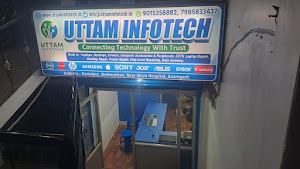
At Uttam Infotech in Azamgarh, we sell, service and upgrade computers every day, so we see which configurations hold up well and which ones cause trouble later. We use that experience to guide you towards a balanced, upgrade-friendly build — and we tell you honestly when a lower budget will do the job.
| Point | Custom-built PC | Typical pre-built |
|---|---|---|
| Parts selection | You choose each component | Fixed configuration |
| Budget control | Spend more where it matters | Pay for the full bundle |
| Upgrades | Planned in from the start | Can be limited by design |
| Fit for workload | Matched to your use | Built for a general user |
| Convenience | Needs proper planning — we handle it | Ready off the shelf |
Which Custom PC Fits Your Requirement?
Every use case stresses different parts of a computer. Here is how we approach the most common requests we get in Azamgarh.
Custom Gaming PC
For smooth gameplay, the graphics card and processor must be paired sensibly, with enough RAM and cooling to sustain performance.
- Esports and AAA titles
- Streaming while gaming
- GPU-focused budget split
Office & Business PCs
Reliable desktops for billing, Tally, MS Office, browsing and video calls — with fast SSD boot and quiet, stable operation.
- Shops, offices, institutions
- Multiple identical systems
- Low-maintenance setup
Home & Personal Use PCs
For online classes, family use, movies, light photo work and everyday browsing, without paying for hardware you won’t use.
- Students and families
- Online learning
- Media and entertainment
Professional Workstation PCs
For CAD, 3D rendering, simulation and heavy multitasking, where more CPU cores, large RAM and dependable power delivery matter.
- Architecture and engineering
- 3D modelling and rendering
- Large datasets
Video Editing & Content Creation PCs
Built for Premiere Pro, DaVinci Resolve, Photoshop and similar tools, balancing processor, GPU, RAM and fast storage for smooth timelines.
- YouTube and wedding videos
- Graphic designing
- Fast NVMe scratch storage
Programming & Development PCs
Plenty of RAM and a quick SSD keep IDEs, browsers, emulators and virtual machines responsive while you compile and test.
- Web and app development
- Android emulators, VMs
- Data science basics
Budget-Friendly Custom PCs
Working with a tight budget? We prioritise an SSD, adequate RAM and a reliable power supply, then suggest which parts can be upgraded later — so you get a usable system today and a clear upgrade path tomorrow.
Why Choose a Custom-Built PC?
A custom desktop is not automatically “better” — it is better suited. These are the practical reasons customers choose one.
Personalised hardware configuration
Each part is chosen for your software, games or workload, so the system fits the way you work.
Budget flexibility
Spend more on components that matter for you and save on the ones that don’t — at any budget level.
Upgrade flexibility
Standard parts and planned headroom make it easier to add RAM, storage or a better GPU later.
Performance based on real requirements
No guesswork — the configuration is planned around the applications you’ll actually run.
Choice of components and brands
Pick your preferred processor platform, storage type, cabinet and peripherals from available options.
Better suited to specific workloads
Editing, rendering, coding and gaming each need a different balance — a custom build can target that balance directly.
PC Components and Custom Computer Configuration
Understanding what each part does helps you make better decisions — and spot a badly balanced build.
Processor (CPU)
Runs your programs and handles most calculations. Core count and generation matter most for editing, rendering and multitasking. Intel and AMD both offer strong options.
Motherboard
Connects everything. It decides which CPU fits (socket and chipset), how much RAM you can add, storage slots, ports and future upgrade options.
RAM (Memory)
Short-term workspace for open apps. Too little causes slowdowns when multitasking. Running two matched sticks (dual channel) generally improves performance.
SSD & HDD Storage
An SSD makes boot-up and app loading quick; NVMe SSDs are faster still. An HDD adds low-cost space for large files, photos and backups.
Graphics Card (GPU)
Essential for gaming, 3D and GPU-accelerated editing. For office and study PCs, a processor with integrated graphics is often enough.
Power Supply (PSU)
Often overlooked, but critical. A reliable PSU with enough wattage and headroom protects your components — something to discuss given local voltage fluctuations.
Cabinet
Holds the parts and guides airflow. It must physically fit your graphics card, cooler and motherboard size, with room for good cable management.
Cooling System
Air coolers and case fans keep temperatures in check so parts don’t throttle. Heavier workloads and summer heat call for better cooling.
Monitor & Peripherals
Monitor size, resolution and refresh rate should match the build. Keyboard, mouse, speakers, Wi-Fi adapter and UPS complete the setup.
Compatibility and balance matter more than any single part
A powerful graphics card on a weak power supply, RAM the motherboard doesn’t support, or a cooler that doesn’t fit the cabinet can all cause instability or wasted money. We check socket and chipset support, RAM type, physical clearances and total power draw, and aim for a balanced configuration where no single component holds the others back.
Our Custom PC Building Process
From the first conversation to handing over the finished desktop, here is what to expect.
Understand your requirements
We ask what software or games you use, who will use the PC, and what you expect from it.
Recommend a suitable configuration
We suggest a component list that matches your workload — and explain why each part was chosen.
Discuss the budget
We adjust the configuration to your budget, showing where spending more helps and where it doesn’t.
Select compatible components
Final parts are confirmed based on compatibility, current pricing and availability.
Assemble the PC
Careful assembly with proper cable management and airflow, plus OS and driver setup (Windows licence charged separately if required).
Testing and quality checks
We power on, check that all parts are detected, and run stability and temperature checks before handover.
Delivery and support
You receive the system with component bills and warranty details. Our store remains available for servicing and future upgrades.
Build Your Custom PC — Share Your Requirements
Answer a few quick questions. Your enquiry is sent to us on WhatsApp, and we reply with a suggested configuration.
Why Choose Our Computer Business in Azamgarh?
We are a local computer sales and service store, so you can sit across the counter, talk through your requirement and come back to the same people when you need help later.
- Local sales and service presenceA physical store in Kartalpur, Azamgarh you can visit before and after purchase.
- Personalised configuration guidanceRecommendations based on your work, not on whatever is easiest to sell.
- Multiple hardware optionsCustom-built PCs, new desktops, and refurbished laptops and desktops — so you can compare options in one place.
- Support for different budgetsFrom basic study PCs to gaming and workstation builds.
- Servicing and upgrade expertiseRepairs, maintenance, RAM and SSD upgrades are part of our daily work.
Custom-Built PC Questions from Azamgarh Customers
What is a custom-built PC?
A custom-built PC is a desktop computer assembled from components chosen for your specific needs — processor, motherboard, RAM, storage, graphics card, power supply and cabinet — instead of a fixed, pre-configured model. You decide where to spend and where to save.
How much does a custom-built PC cost in Azamgarh?
There is no single fixed price. The final cost depends on the components you choose, current market prices and stock availability. A basic office or home PC needs a much smaller budget than a gaming or video editing system. Share your budget and usage with us and we will suggest a configuration with a current quotation.
Can I build a gaming PC within my budget?
In most cases, yes, as long as expectations match the budget. Lower budgets suit lighter and esports titles at modest settings, while demanding AAA games at high settings need a stronger graphics card, which raises the cost. Tell us which games you play and we will recommend a balanced build for your budget.
Which is better: Intel or AMD?
Neither is better for every user. Both offer good processors at different price points, and the right choice depends on your budget, workload, current pricing and the platform’s upgrade options. We compare suitable options from both brands for your requirement.
How much RAM do I need?
For general office and home use, 8GB is the practical minimum and 16GB gives more comfortable multitasking. For gaming, 16GB is a sensible starting point today. Video editing, 3D rendering and heavy development work often benefit from 32GB or more.
Can I upgrade my custom PC in the future?
Yes. This is one of the main advantages of a custom desktop. While planning your build we can keep upgrade room in mind, such as free RAM slots, extra storage connections and a power supply with headroom for a better graphics card later. We also offer RAM, SSD and other upgrade services.
Can I get a custom PC for office or business work?
Yes. Office PCs focus on reliability, fast SSD storage, enough RAM and quiet operation rather than gaming hardware. We can configure a single system or multiple identical desktops for shops, offices and institutions.
Do you help select compatible PC components?
Yes. Before assembly we check that the processor, motherboard, RAM, storage, graphics card, power supply, cabinet and cooling work together, including socket and chipset support, physical fit and power requirements.
Can I choose my own components?
Yes. You can name the exact parts you want or share a list you have prepared. We will review it for compatibility and balance, suggest alternatives if something does not fit, and confirm availability and price.
What warranty do I get on a custom-built PC?
Components such as the processor, motherboard, RAM, SSD and graphics card usually carry warranty from their respective brands, and the period differs from part to part. We share the warranty details of each component at the time of quotation and purchase.
How can I enquire about a custom-built PC in Azamgarh?
Fill in the custom PC enquiry form on this page, call us at 7985833437, or send us a WhatsApp message. You can also visit our store at Kartalpur, Brahmshtan, near Shiva Hospital, Azamgarh, between 11:00 AM and 6:00 PM.
Your Local Custom PC Builder in Azamgarh, Uttar Pradesh
Buying a desktop online means guessing at parts and dealing with returns from far away. When you build with a local store, you can discuss the configuration face to face, see the components, and bring the PC back to the same counter for servicing or an upgrade later.
Our store is in Kartalpur, near Brahmshtan and Shiva Hospital, Azamgarh. Students, gamers, offices, shops and professionals from the city and nearby areas of the district are welcome to visit or send their requirements on WhatsApp before coming in, so we can prepare options in advance.
Ask about your buildReady to Plan Your Custom-Built PC?
Tell us what you’ll use it for and roughly what you want to spend. We’ll suggest a balanced configuration with current pricing — no obligation.