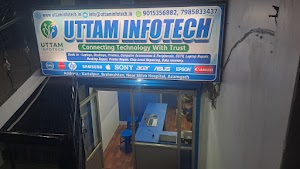
Computer Accessories Shop in Azamgarh
Find the best computer accessories for PC, desktop and laptop – wireless keyboards, gaming mice, headsets, SSDs, USB hubs, laptop stands, UPS and more, with expert guidance in store.
Genuine Brands
Manufacturer warranty support
Test Before You Buy
See and try it in store
Compatibility Check
Right fit for your PC or laptop
Expert Advice
10+ years of computer experience
Essential Computer Accessories for Everyday Use
Computer accessories are the add-on devices that make your PC or laptop easier, faster and more comfortable to use. A good wireless keyboard and mouse reduce strain during long hours, a headset keeps online classes and video calls clear, an external hard drive or portable SSD protects your data, and a UPS or surge protector keeps your system safe from power cuts.
At Uttam Infotech, Azamgarh, you can see and test computer accessories for desktop and laptop before you buy. Our team checks compatibility with your machine – ports, connectors and wattage – so you take home the right product the first time. Whether you are a student, a home office user, a gamer or a business, we help you pick accessories that fit your needs and budget.
Popular PC Accessories Categories
Choose a category to see computer accessories for PC, desktop and laptop available at our Azamgarh store.
Keyboards
Wired & WirelessMouse
Office & GamingAudio
Headphones, SpeakersStorage
SSD, Pendrive, HDDWebcams
HD Video CallsCables & Power
HDMI, Chargers, UPSBest Computer Accessories in Store
Complete Computer Accessories List
From basic PC accessories to the latest computer gadgets – here is what each category covers and who it is for.
Keyboard and Mouse Accessories
Your keyboard and mouse are the accessories you touch the most. A wireless keyboard or Bluetooth keyboard keeps your desk tidy, an ergonomic keyboard eases wrist strain, and a mechanical keyboard gives better typing feel and durability. Choose a wireless mouse or optical mouse for office work, or a gaming mouse with adjustable DPI for games. Add a mouse pad for smoother tracking.
Computer Connectivity Accessories
Modern laptops often have only a few ports. A USB hub or USB Type C hub adds extra USB, HDMI and card slots in one plug. Use an HDMI cable or VGA cable to connect a monitor or projector, an Ethernet / LAN cable for stable internet, and a WiFi adapter or USB Bluetooth adapter to add wireless to an older desktop PC.
Computer Audio Accessories
For online classes and meetings, a headset with a microphone is the simplest upgrade. Noise cancelling headphones help you focus in busy homes, wireless headphones give freedom of movement, and wired headphones need no charging. For music and movies, choose USB speakers or Bluetooth speakers; for clear voice recording, a USB microphone works best.
Essential Laptop Accessories
A laptop stand raises the screen to eye level and improves posture, while a laptop cooling pad or cooling fan keeps temperatures down during long use. Protect your machine with a laptop sleeve, laptop bag, skin or screen protector, and keep a compatible laptop charger as a spare. A laptop docking station turns a laptop into a full desk setup.
Gaming Accessories for PC
A responsive gaming keyboard, a precise gaming mouse and a comfortable gaming headset are the core of any setup. Add a large gaming mouse pad or RGB mouse pad, a gaming controller for racing and sports games, and RGB LED strips for the look. A gaming chair, gaming desk and monitor stand complete the space.
Monitor and Display Accessories
A second computer monitor can speed up work noticeably. Mount it at the right height with a monitor stand, monitor arm or dual monitor stand. Use a DisplayPort cable or an HDMI splitter for multiple screens, a monitor light bar to reduce glare, a privacy filter for shared offices and a screen cleaning kit to keep the display spotless.
Computer Protection and Power Accessories
Power cuts and voltage fluctuation are common, so a UPS for computer is one of the most important purchases – it gives you time to save work and shut down safely. A surge protector, power strip or voltage stabilizer adds protection. Keep dust away with a computer dust cover and keyboard cover, and use a computer cleaning kit and cable management clips for a neat desk.
Computer Storage Accessories
Back up photos, projects and office files on an external hard drive or a faster portable SSD. A USB 3.0 flash drive is handy for daily file transfer, and a memory card with a card reader works for cameras and phones. Have an old drive lying around? An HDD enclosure, SSD enclosure or NVMe enclosure turns it into portable storage. Need a CD/DVD? Use an external DVD drive.
Wireless Keyboard +
Mouse Combos
A clutter-free setup for office work and students. Ask us for the latest combo deals and offers in store.
Enquire NowSlow laptop?
Upgrade to an SSD
Moving from a hard disk to an SSD makes boot-up and apps feel much faster. We fit it and help move your data.
RAM & SSD UpgradeBest Computer Accessories for Every Need
Not sure where to start? These must have computer accessories cover the most common setups we see in store.
Best Computer Accessories for Students
Online classes, assignments and long study hours need comfort and reliability more than flashy features.
- Wireless keyboard and mouse combo
- Headset with microphone for online classes
- USB 3.0 flash drive for assignments
- Laptop bag and laptop cooling pad
Computer Accessories for Work From Home
The best computer accessories for a home office reduce strain and make video calls look and sound professional.
- Ergonomic keyboard and wireless mouse
- HD webcam and noise cancelling headphones
- Laptop stand or monitor stand
- USB Type C hub and a UPS for power cuts
Best Gaming Accessories for Beginners
Start with the accessories you use every second of a match, then upgrade comfort and looks later.
- Gaming mouse with adjustable DPI
- Gaming keyboard (mechanical or membrane RGB)
- Gaming headset with clear mic
- Large gaming mouse pad
Affordable Computer Accessories
Useful upgrades don’t have to be expensive. Many everyday PC accessories fall in the budget range – ask us for current prices.
- Mouse pad and keyboard cover
- HDMI, LAN and USB extension cables
- USB flash drive and card reader
- Screen cleaning kit and cable clips
How to Choose the Right Computer Accessories
The best PC accessories are the ones that match your machine and the way you work. Check these five points before you buy computer accessories – online or in store.
- 01
Check compatibility
Note your laptop or desktop model and its ports (USB-A, USB-C, HDMI, VGA). For chargers, match the voltage, wattage and pin type exactly.
- 02
Wired or wireless?
Wired accessories need no charging and suit gaming and desktops. Wireless and Bluetooth accessories keep your desk clean and are ideal for laptops.
- 03
Think about daily comfort
If you work long hours, ergonomic keyboards, a laptop stand and a monitor at eye level matter more than extra features.
- 04
Protect your system
A UPS or surge protector costs far less than repairing a damaged motherboard or losing unsaved work.
- 05
Buy genuine, keep the bill
Genuine branded products come with manufacturer warranty. Keep your invoice for easy warranty claims.
Your Local Computer Accessories Shop in Azamgarh
Searching for “computer accessories near me”? Unlike ordering blind online, at our store you can see the product, test it and get help setting it up.
Test Before You Buy
Try keyboards, mice and headsets in store before you decide.
Compatibility Check
We confirm the right RAM, SSD, charger or adapter for your exact laptop or PC model.
Warranty Support
We guide you through manufacturer warranty claims on branded products.
Office & School Orders
Need accessories for many systems? Contact us for bulk requirements and our AMC for offices & schools.
Computer Accessories – Frequently Asked Questions
Have another question about PC or laptop accessories? Call or WhatsApp us.
Ask on WhatsAppComputer accessories are add-on devices that make a PC or laptop easier, faster or more comfortable to use – for example a keyboard, mouse, headset, webcam, USB hub, external storage, laptop stand or UPS. They are not required for the computer to run, but they improve everyday use.
For most users the essentials are a comfortable keyboard and mouse, a headset or speakers, a USB flash drive or external drive for backup, a surge protector or UPS for power safety, and the right cables (HDMI, USB, LAN). Laptop users usually add a laptop stand, cooling pad and a padded bag or sleeve.
Students benefit most from a wireless keyboard and mouse combo, a headset with a microphone for online classes, a USB flash drive for assignments, a laptop bag and a cooling pad for long study sessions.
For work from home, an ergonomic keyboard and mouse, an HD webcam, a noise-cancelling headset, a laptop stand or monitor stand, a USB-C hub or docking station and a UPS help you stay comfortable and productive.
Desktop PC users should consider a UPS or voltage stabilizer, a good keyboard and mouse, computer speakers or a headset, a WiFi or Bluetooth USB adapter, a monitor stand and a dust cover.
The most useful laptop accessories for daily use are a laptop stand, a cooling pad, a wireless mouse, a USB-C hub, a laptop sleeve or bag and a spare compatible charger.
You can visit Uttam Infotech at Prahlad Nagar, Kartalpur Brahmasthan, near Shiva Hospital, Azamgarh, or send us a WhatsApp message on +91 79858 33437 to check availability and order.
Prices depend on the brand, features and model. Basic items like cables and flash drives are low-cost, while gaming keyboards, SSDs and UPS units cost more. Contact the store for current prices of the exact item you need.
Branded accessories carry the manufacturer’s warranty. Warranty periods differ by brand and product, and we help you with the claim process.
Can’t find the accessory you need? Tell us!
Prahlad Nagar, Kartalpur Brahmasthan, Near Shiva Hospital, Azamgarh · Mon–Fri 9am–8pm, Sat–Sun 10am–5pm